Create your PrinterMon.com Account
Your printermon.com account is your cloud-side identity. It owns (or belongs to) an organization, which is what your nodes link to. You need one to use the cloud features: team access, Remote Tunnel, billing, Discord/Email notifications. Most setups: one person = one account = one organization with their nodes underneath.
Step 1. Open the signup page
Signup Form
Go to https://printermon.com/signup The form has the following fields:
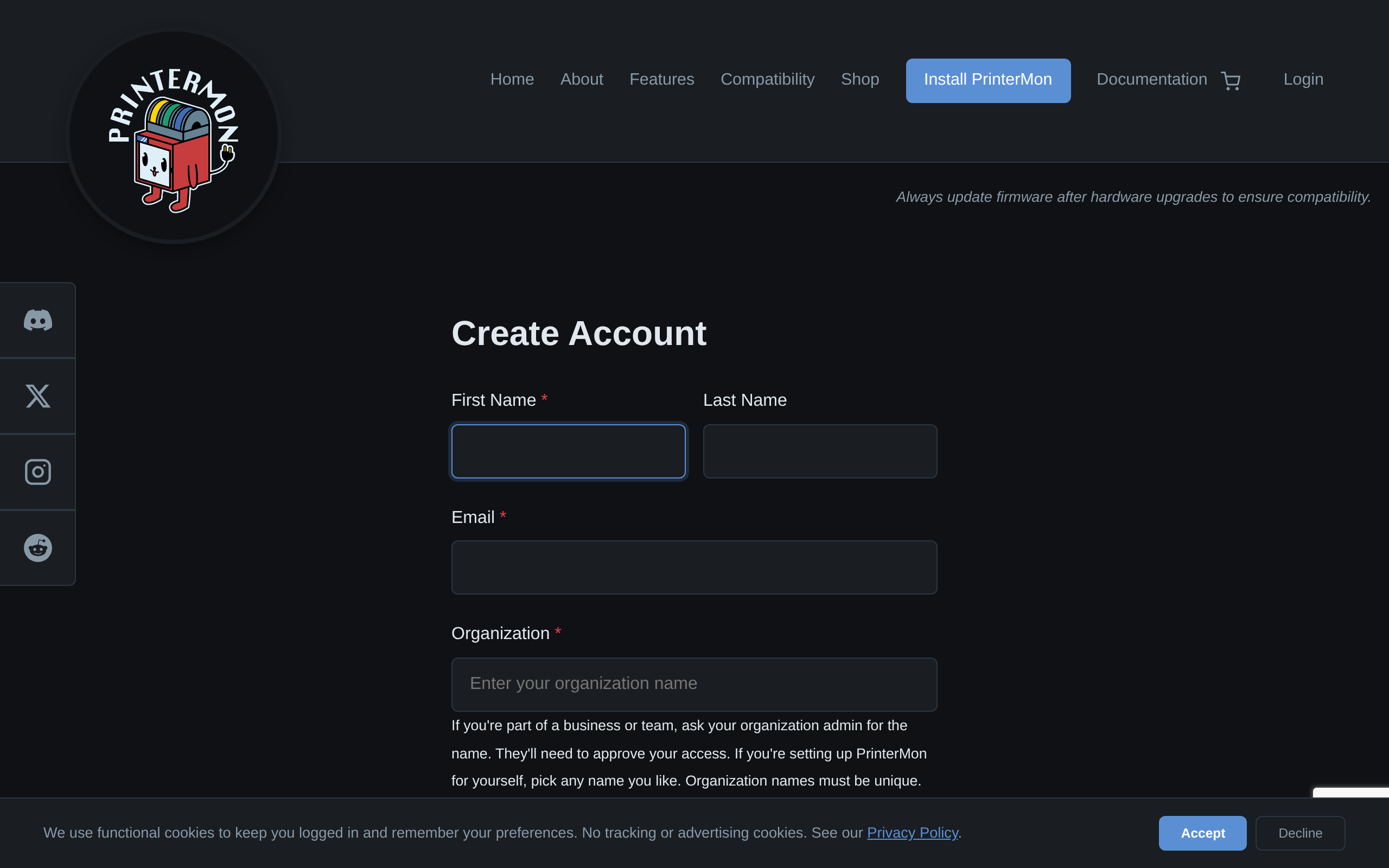
- First Name. Required.
- Last Name. Optional.
- Email. Required. This is your login. PrinterMon will send links to this address.
- Organization. Required. See below — the value you put here decides what happens after signup.
- Password. Required. Minimum 8 characters.
- Confirm Password. Required, must match.
- Subscribe to newsletter. Checked by default. Uncheck if you don't want product updates.
- Security Check. A short captcha (or reCAPTCHA), present to block bots.
The Organization field is doing two jobs
- If the name matches an existing organization, signup creates a join request. The org's owner gets an email saying you want in. You can't access the org until they approve.
- If the name doesn't match anything, signup creates a new organization with you as the owner. Pick any name; it has to be globally unique among PrinterMon orgs.
If you're setting up PrinterMon for yourself, pick a name — most people use their own name or "Home". If you're joining a team, ask the org owner for the exact org name.
Step 2. Verify your email
Click Create Account. The page shows "Account created! Please check your email to verify your address." PrinterMon sends a verification email immediately. Click the link in that email to activate the account. The link expires after a short window; if it expires, use the resend option on the login page.
Step 3. Sign in
Once verified, sign in at https://printermon.com/login See Log In to Your PrinterMon Account.
Rate limits and edge cases
- Five signups per IP every 30 minutes. If you hit the limit (e.g. spinning up several test accounts in a row), wait or use a different network.
- "An account with that email already exists." Go to https://printermon.com/login If you forgot the password, use the Forgot Password link.
- Verification email didn't arrive. Check spam. If you're sure of the address, request a new one from the login page. Verify the email isn't blocking sender notifications@printermon.com.
Next steps
- Install a node — see Install PrinterMon on Linux.
- Link the node to your organization — see Connect Your PrinterMon Node to Your Organization.
- Add Additional Users for collaborators — see Add Additional Users.